

Including €0.15 for ecotax
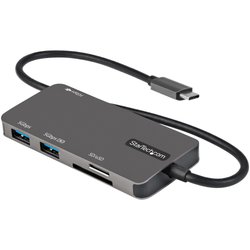
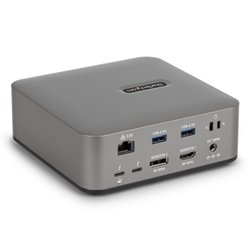
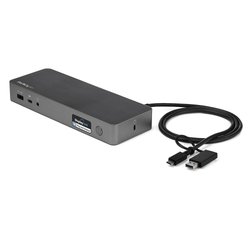
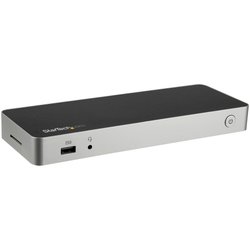
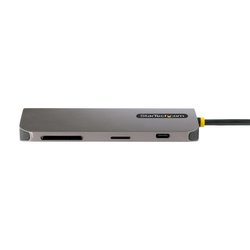
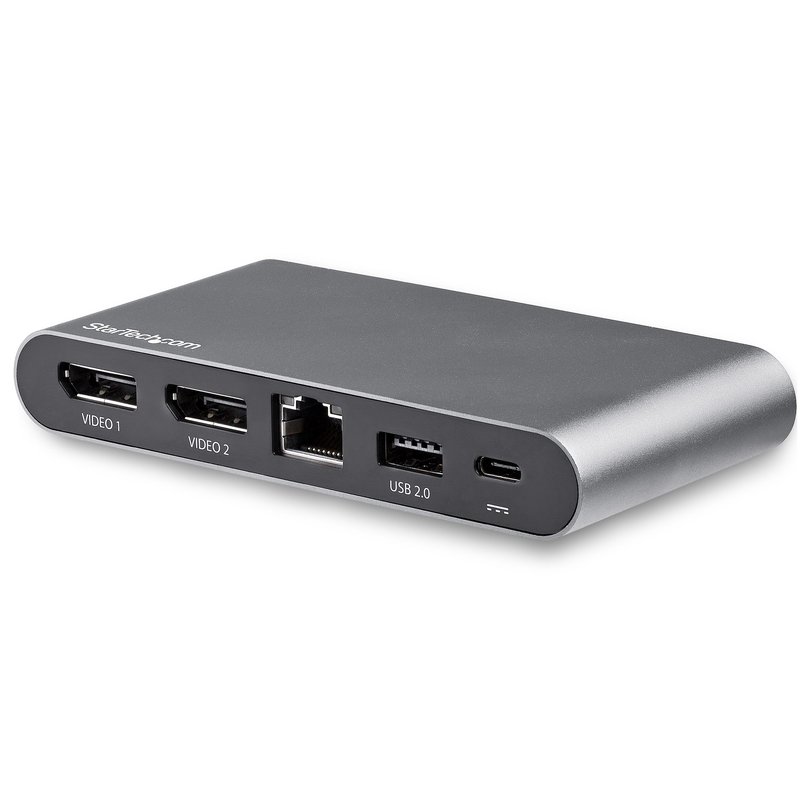
StarTech.com USB C Dock - 4K Dual Monitor DisplayPort - Mini Laptop Docking Station - 100W Power Delivery Passthrough - GbE, 2-Port USB-A Hub - USB Type-C Multiport Adapter - 3.3' Cable, Wired, USB 3.2 Gen 1 (3.1 Gen 1) Type-C, 100 W, 10,100,1000 Mbit/s, IEEE 802.3, IEEE 802.3ab, IEEE 802.3u, Black
 Delivery policy
(edit with the Customer Reassurance module)
USB C Multiport Adapter | 4K 30Hz | 100W PD 3.0 | 2 USB A Ports | GbE | DP Alt-Mode Switch<br/><br/>Transform your Windows laptop into a dual monitor workstation using this USB-C docking station. It offers support for dual DisplayPort monitors, 2 USB-A peripherals, a LAN port for GbE network access and an extended 1-meter host cable.<br/><br/>DisplayPort™ Alternate Mode to Choose Your Video Display Output<br/><br/>Achieve dual 1080p up to a single 4K 60Hz display using the DisplayPort™ Alternate Mode (DP Alt-Mode) configuration switch.<br/><br/>Switch Left<br/><br/>Switch Right<br/><br/>2 Lane DP Alt- Mode<br/><br/>4 Lane DP Alt Mode<br/><br/>USB 3.0<br/><br/>(5Gbps)<br/><br/>USB 2.0<br/><br/>(480 Mbps)<br/><br/>Dual 1080p Monitors<br/><br/>or<br/><br/>Single 4K 30Hz Monitor<br/><br/>Dual 4K 30Hz Monitors<br/><br/>or<br/><br/>Single 4K 60Hz Monitor<br/><br/>Reliable 100W Power Delivery Passthrough<br/><br/>The USB-C multiport adapter uses your USB-C laptop’s power adapter and can provide up to 100W Power Delivery (3.0) pass through with up to 85W for your host device for charging. The remaining wattage will power the docking station along with any attached USB-A peripherals such as smartphones and tablets.<br/><br/>Multi-Stream Transport for Driverless Displays<br/><br/>The multi-stream transport technology (MST) in this dock powers two DisplayPort monitors with no driver installation required so you are up and running faster.<br/><br/>Enhance Productivity and Device Management with the StarTech.com Connectivity Tools Application<br/><br/>Developed to improve performance and security, StarTech.com Connectivity Tools is the only software suite on the market that works with a wide range of IT connectivity accessories. The software suite includes:<br/><br/>•<br/><br/>Advanced Windows Layout Utility : To setup and save custom windows layouts.<br/><br/>•<br/><br/>Mac Address Pass-Through Utility : To improve network security.<br/><br/>•<br/><br/>USB Event Monitoring Utility : To track and log connected USB devices<br/><br/>•<br/><br/>Wi-Fi Auto Switch Utility : Enabling users to quickly access faster network speeds via wired LAN.<br/><br/>For more information and to download the StarTech.com Connectivity Tools application, please visit: www.StarTech.com/Connectivity-Tools<br/><br/>Comprehensive Product Testing & Expert Technical Support<br/><br/>StarTech.com conducts thorough compatibility and performance testing on all our products to ensure we are meeting or exceeding industry standards and providing high-quality products to our customers. Our local StarTech.com Technical Advisors have a broad product expertise and work directly with StarTech.com Engineers to provide support for our customers both pre and post-sales.<br/>This docking station is backed by a StarTech.com 3-Year warranty and free lifetime technical support.<br/><br/>The StarTech.com Advantage<br/>
| Connectivity technology | Wired |
|---|---|
| Host interface | USB 3.2 Gen 1 (3.1 Gen 1) Type-C |
| USB 2.0 ports quantity | 1 |
| USB 3.2 Gen 1 (3.1 Gen 1) Type-A ports quantity | 1 |
| USB 3.2 Gen 1 (3.1 Gen 1) Type-C ports quantity | 1 |
| USB Power Delivery (USB PD) | Yes |
| USB Power Delivery revision | 3.0 |
| USB Power Delivery up to | 100 W |
| DisplayPorts quantity | 2 |
| Microphone in | No |
| DC-in jack | No |
| Ethernet LAN | Yes |
|---|---|
| Ethernet LAN (RJ-45) ports | 1 |
| Ethernet LAN data rates | 10,100,1000 Mbit/s |
| Networking standards | IEEE 802.3, IEEE 802.3ab, IEEE 802.3u |
| Auto MDI/MDI-X | Yes |
| Full duplex | Yes |
| 10G support | No |
| Card reader integrated | No |
|---|---|
| Data transfer rate | 5 Gbit/s |
| Maximum digital resolution | 4096 x 2160 pixels |
| Product colour | Black |
| UASP support | Yes |
| Housing material | Plastic |
| Brand compatibility | Any brand |
| Certification | CE, FCC, REACH |
| Power source type | USB |
|---|---|
| Power supply | 100 W |
| Power consumption (typical) | 15 W |
| Wireless charging | No |
| Windows operating systems supported | Windows 10, Windows 10 Education, Windows 10 Education x64, Windows 10 Enterprise, Windows 10 Enterprise x64, Windows 10 Home, Windows 10 Home x64, Windows 10 IOT Core, Windows 10 Pro, Windows 10 Pro x64, Windows 7, Windows 7 Enterprise, Windows 7 Enterprise x64, Windows 7 Home Basic, Windows 7 Home Basic x64, Windows 7 Home Premium, Windows 7 Home Premium x64, Windows 7 Professional, Windows 7 Professional x64, Windows 7 Starter, Windows 7 Starter x64, Windows 7 Ultimate, Windows 7 Ultimate x64, Windows 7 x64, Windows 8, Windows 8 Enterprise, Windows 8 Enterprise x64, Windows 8 Pro, Windows 8 Pro x64, Windows 8 x64, Windows 8.1, Windows 8.1 Enterprise, Windows 8.1 Enterprise x64, Windows 8.1 Pro, Windows 8.1 Pro x64, Windows 8.1 x64 |
|---|
| Operating temperature (T-T) | 0 - 50 °C |
|---|---|
| Storage temperature (T-T) | -20 - 70 °C |
| Operating relative humidity (H-H) | 0 - 95% |
| Width | 60 mm |
|---|---|
| Depth | 120 mm |
| Height | 18.8 mm |
| Weight | 150 g |
| Compliance certificates | RoHS |
|---|
Data sheet
Specific References
StarTech.com USB C Dock - 4K Dual Monitor DisplayPort - Mini Laptop Docking Station - 100W Power Delivery Passthrough - GbE, 2-Port USB-A Hub - USB Type-C Multiport Adapter - 3.3' Cable, Wired, USB 3.2 Gen 1 (3.1 Gen 1) Type-C, 100 W, 10,100,1000 Mbit/s, IEEE 802.3, IEEE 802.3ab, IEEE 802.3u, Black